Ola Maps Billing
Your guide toprepaid credits.
Learn how to view your balance, add credits, set low-credit reminders, activate a payment mandate, and schedule recurring recharges for uninterrupted billable API usage.
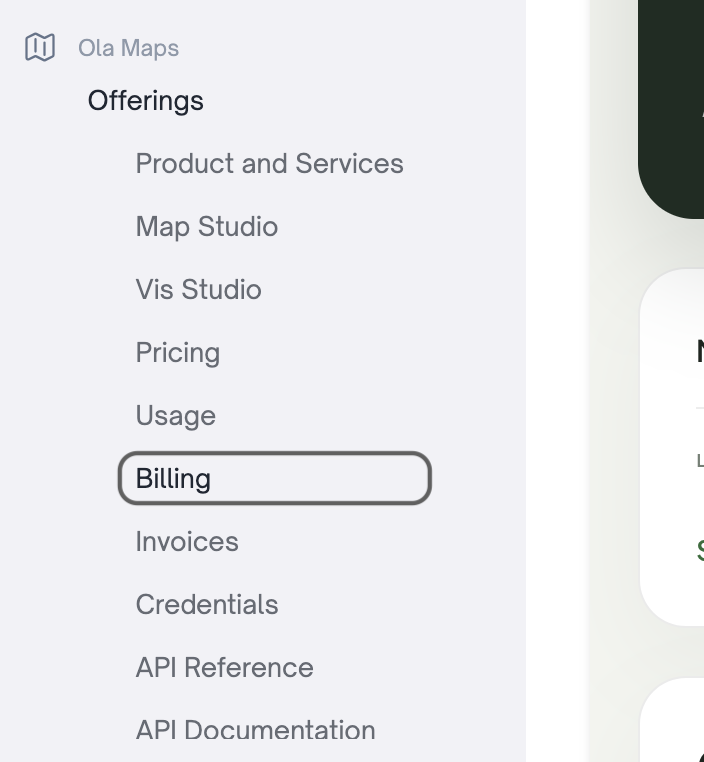
Select Billing in the console.
Sign in to the Krutrim Cloud console, open the Ola Maps section, and select Billing from the side navigation.
Required: Accept the updated Terms & Conditions, Privacy Policy, and new pricing from the Billing page before using prepaid credits.
Check your credit balance.
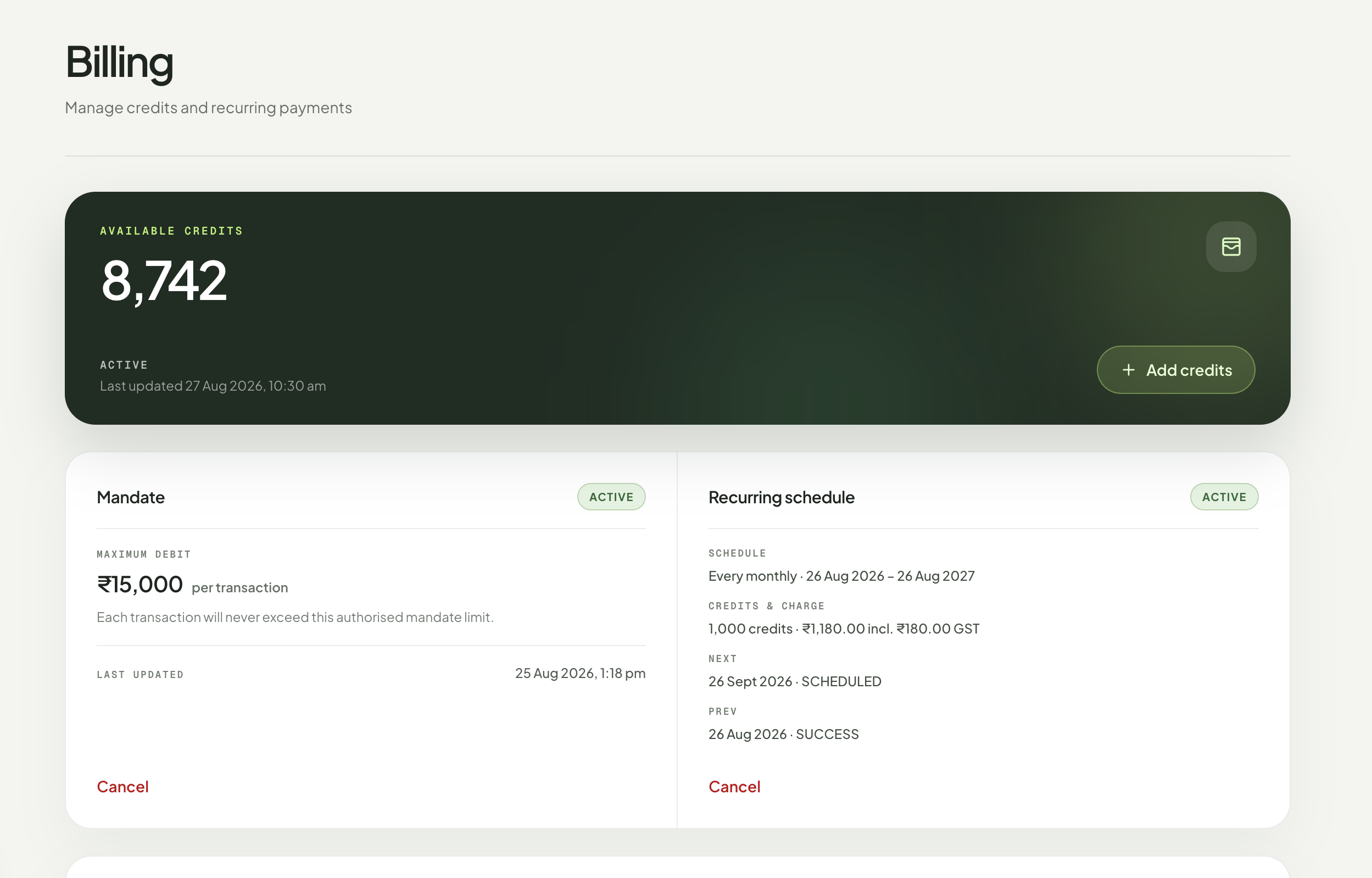
The Billing page shows your available credits, recent activity, mandate status, and recurring recharge details in one place.
Add credits whenever you need them.
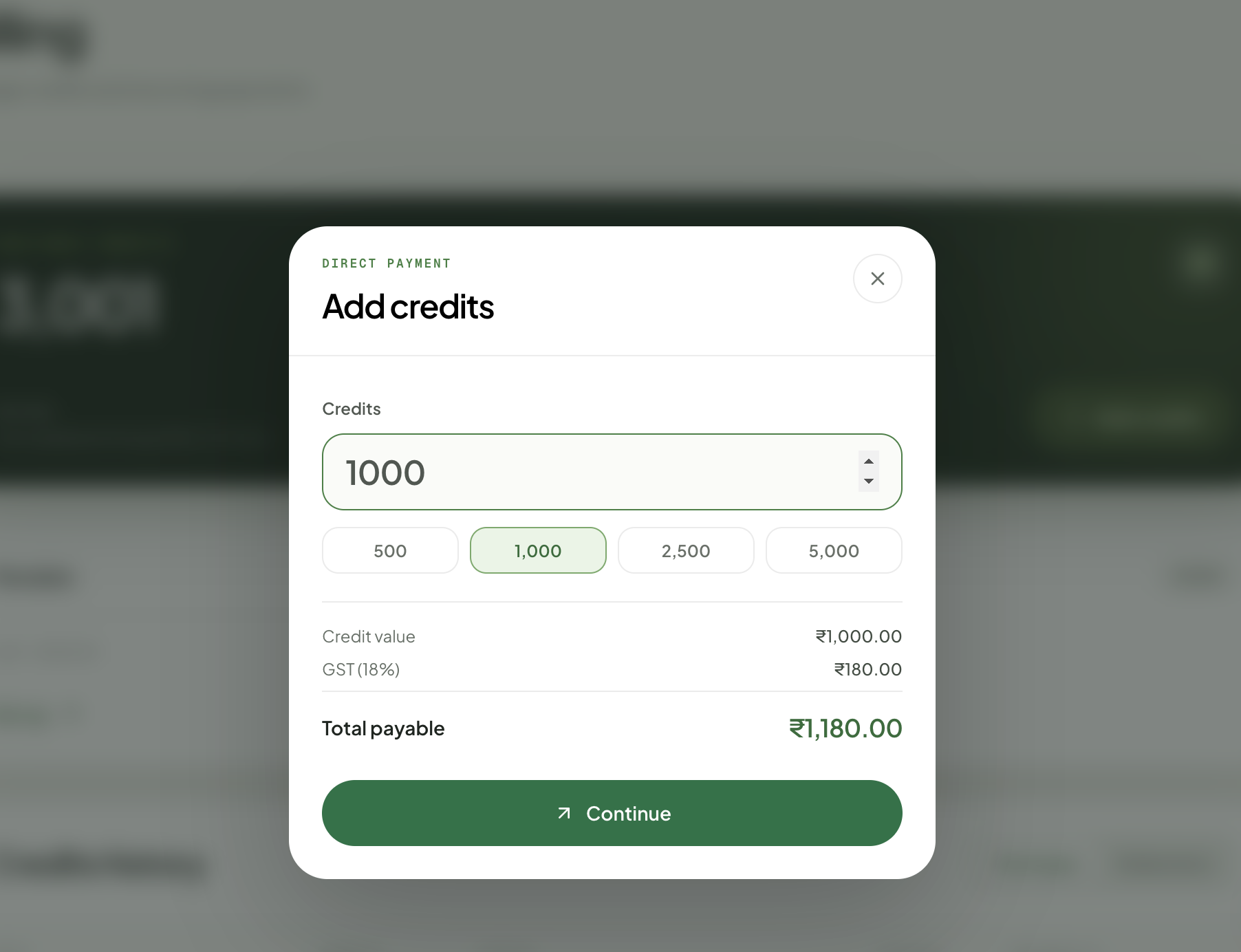
Select Add credits, enter the amount, and review the credit value, GST, and total before continuing to secure payment.
Complete payment
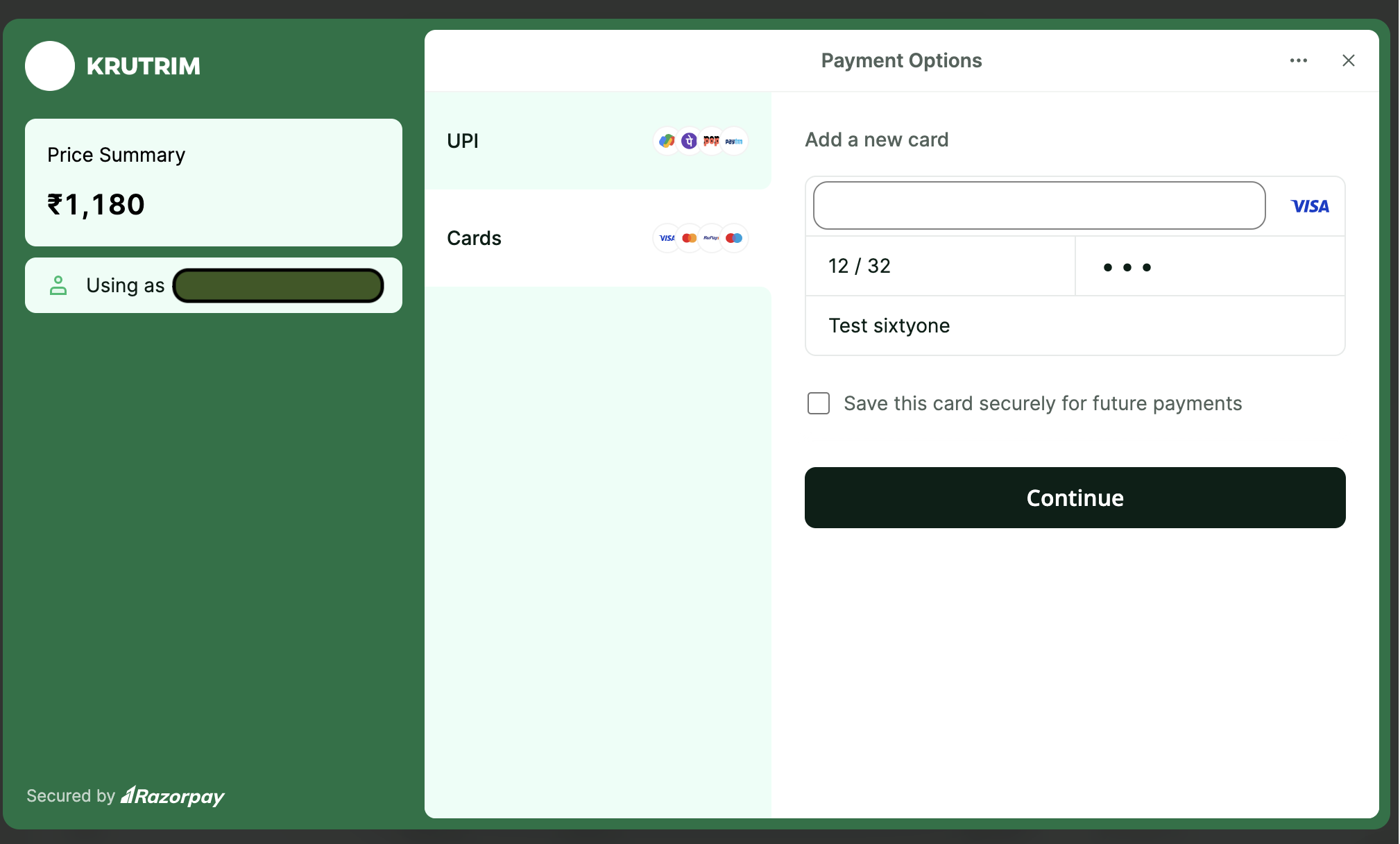
Choose an available payment method and follow the on-screen instructions.
Confirm the updated balance
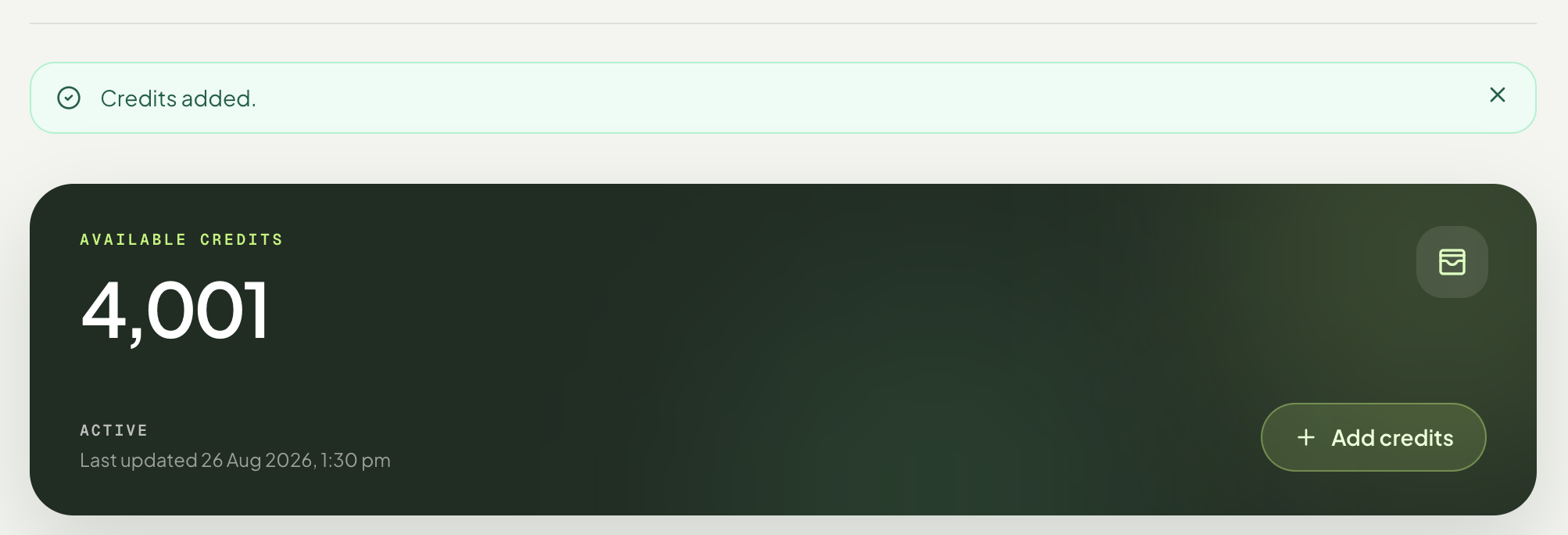
After a successful payment, the confirmation message appears and your available credits are updated.
Set low-credit reminders.
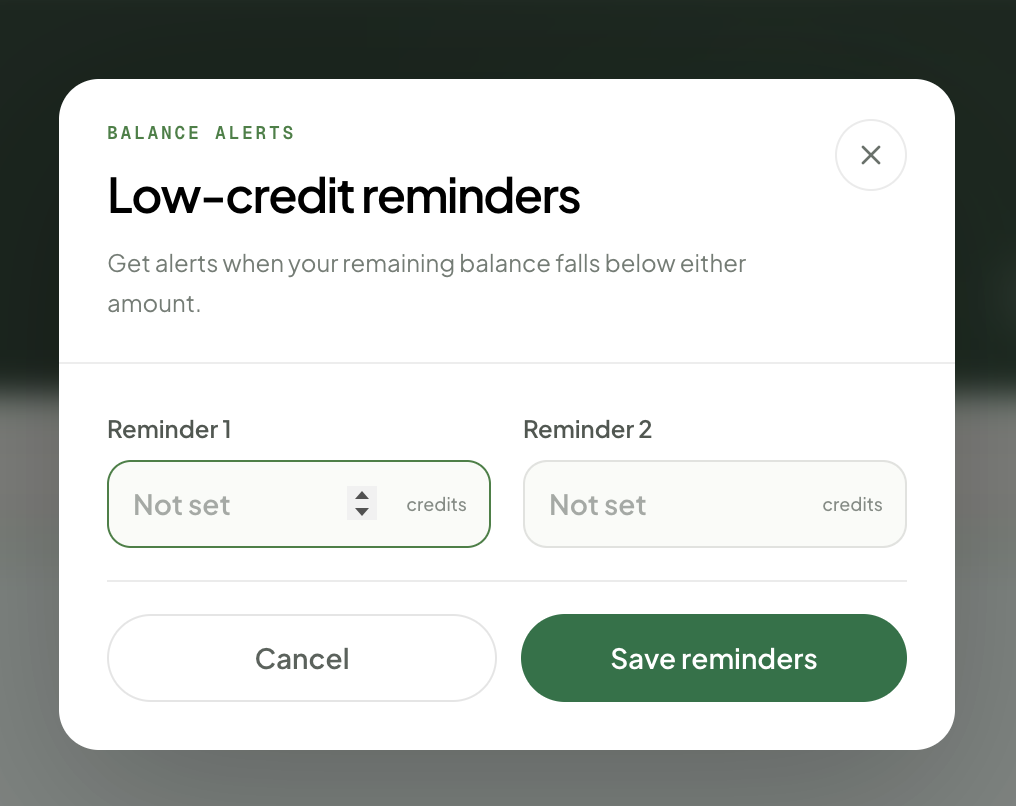
Select Reminders, enter up to two remaining-balance amounts, and save. You’ll be alerted when your available credits fall below either amount.
1. Select Reminders beside your available balance

2. Enter and save your alert amounts
Set up a mandate for recurring recharge.
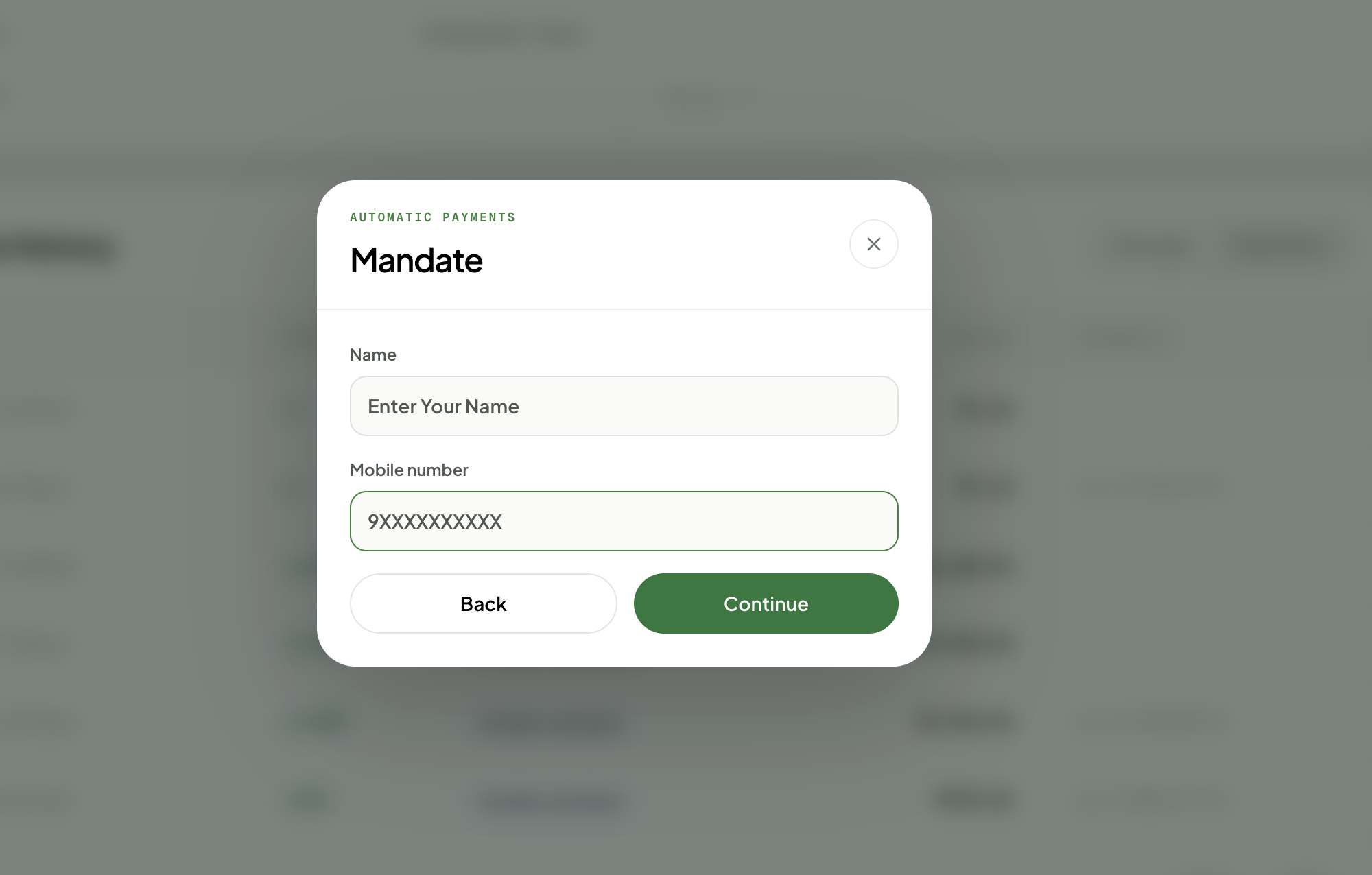
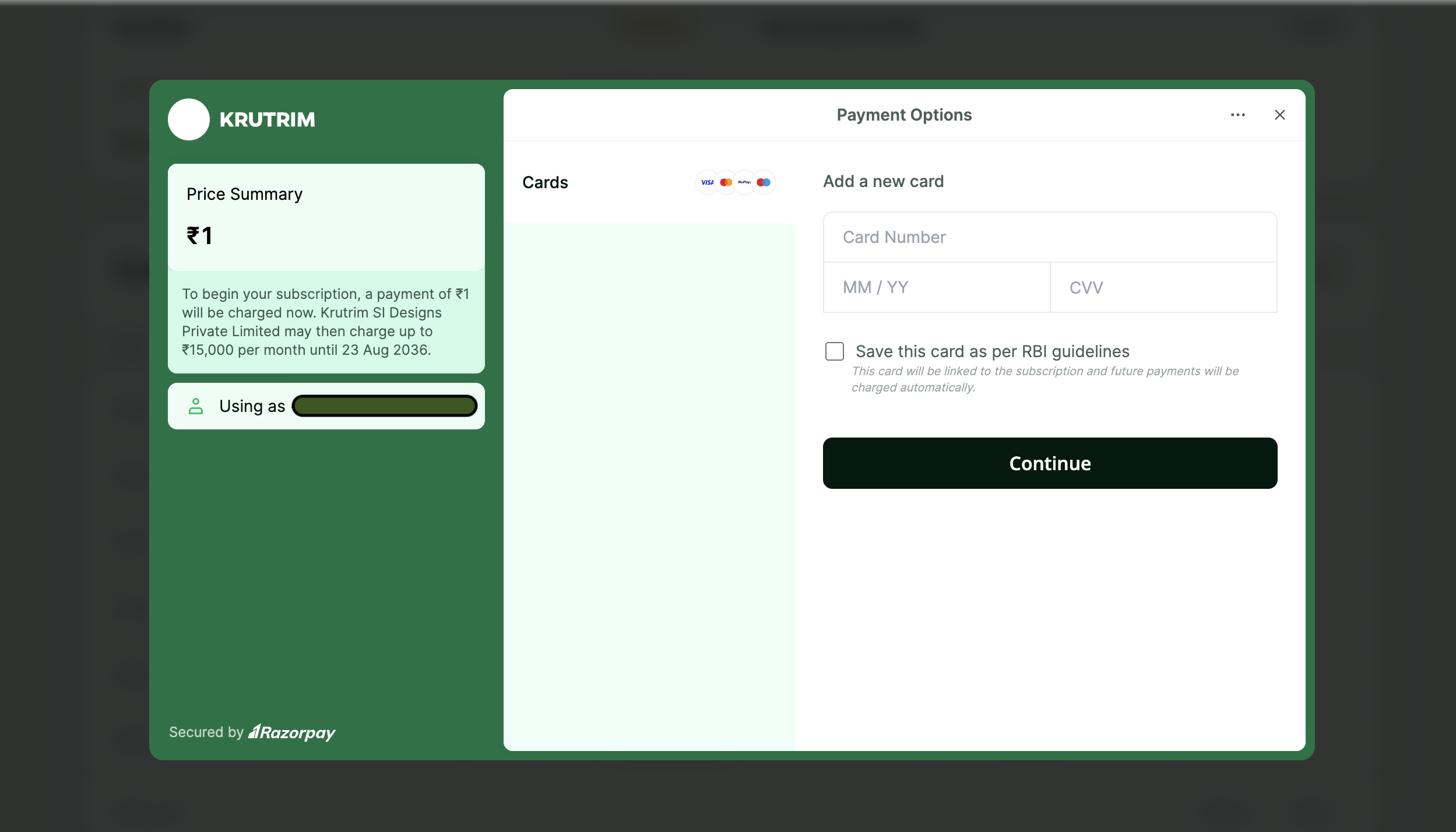
A new mandate is required before you can schedule recurring recharges. It authorises recurring charges up to ₹15,000 per transaction. Enter your details, continue to the secure payment screen, and complete the ₹1 verification charge.
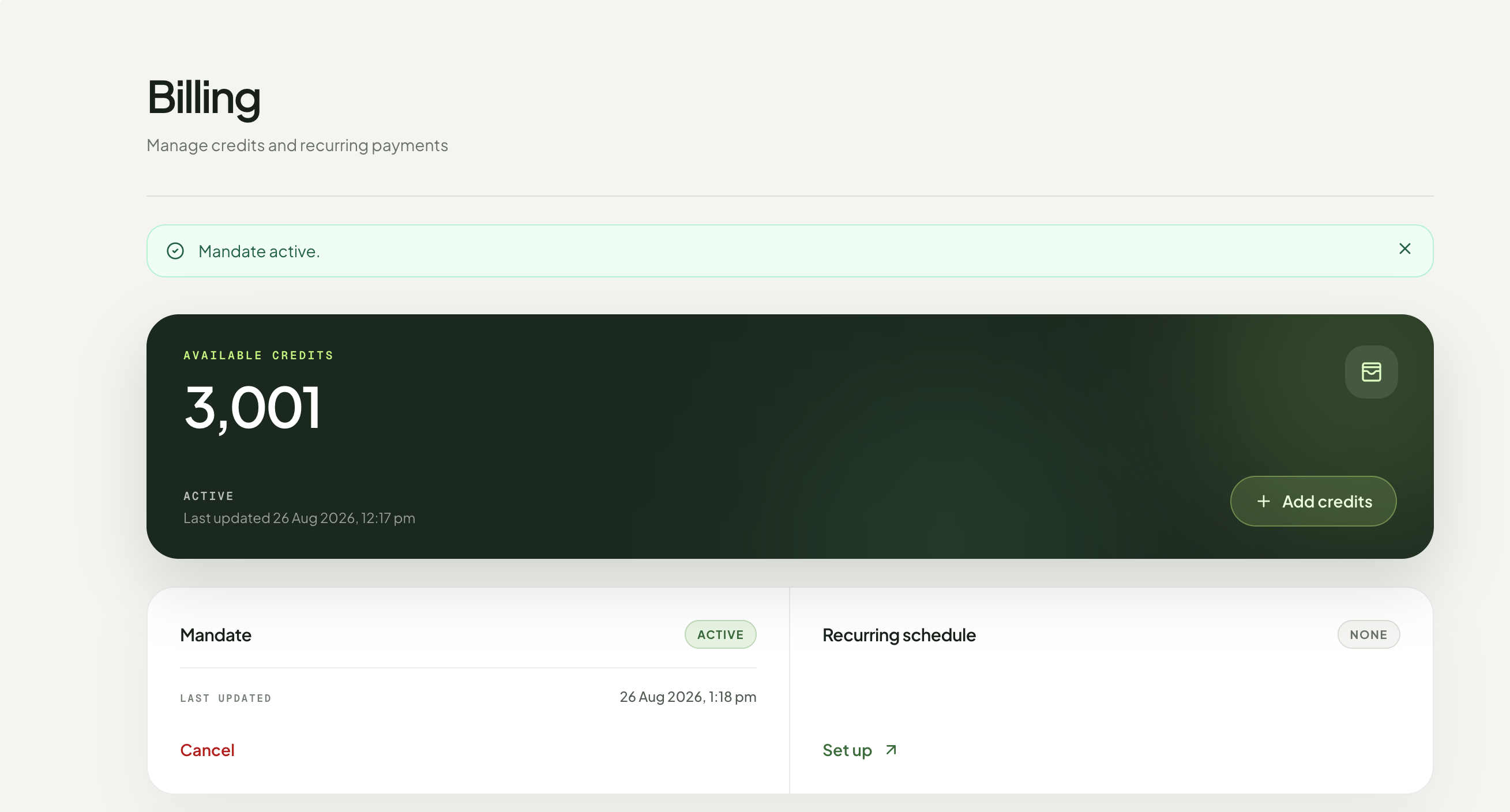
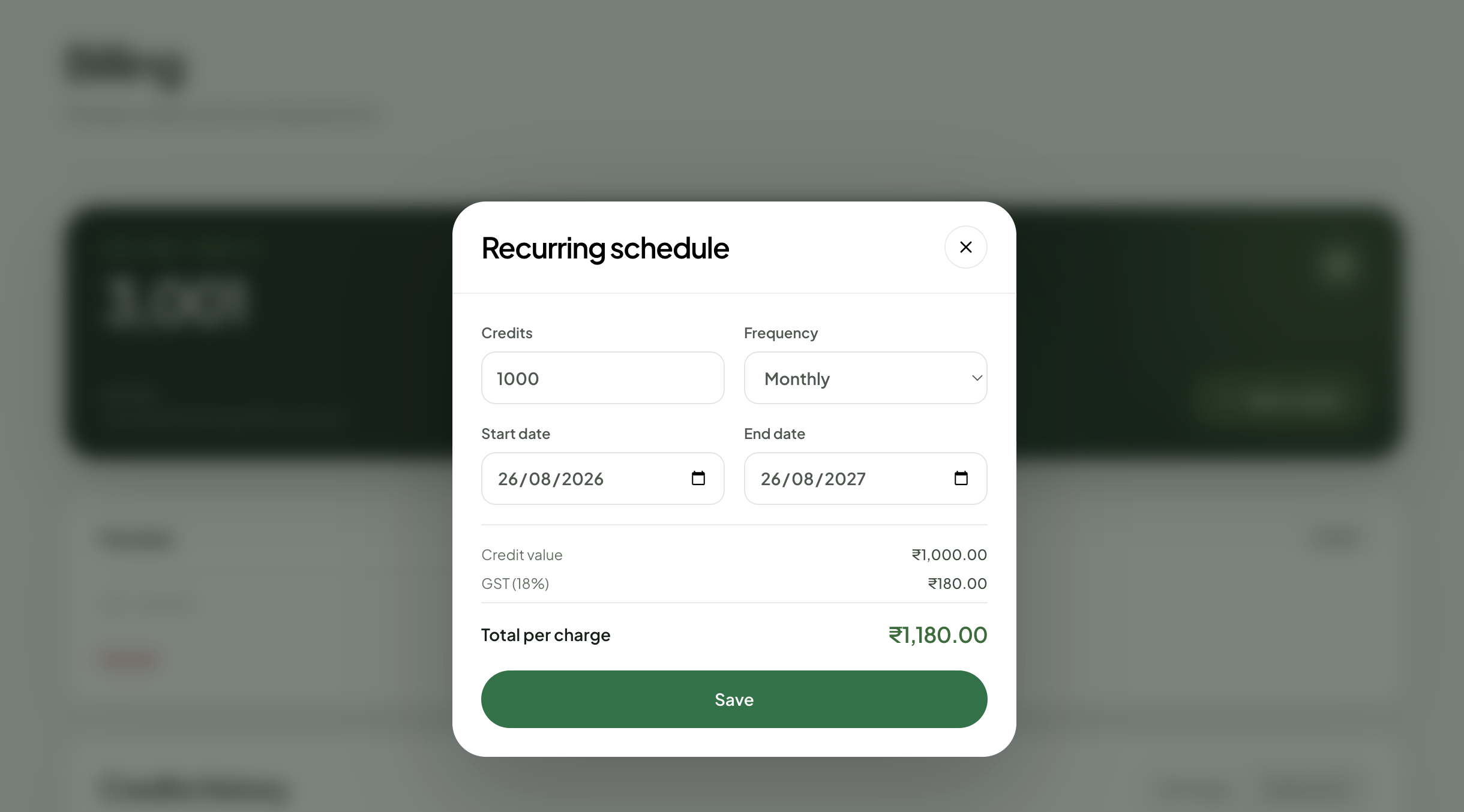
Schedule credits to be added automatically.
Choose the number of credits, recharge frequency, start date, and end date. Review the total per charge, including GST, and save the schedule.
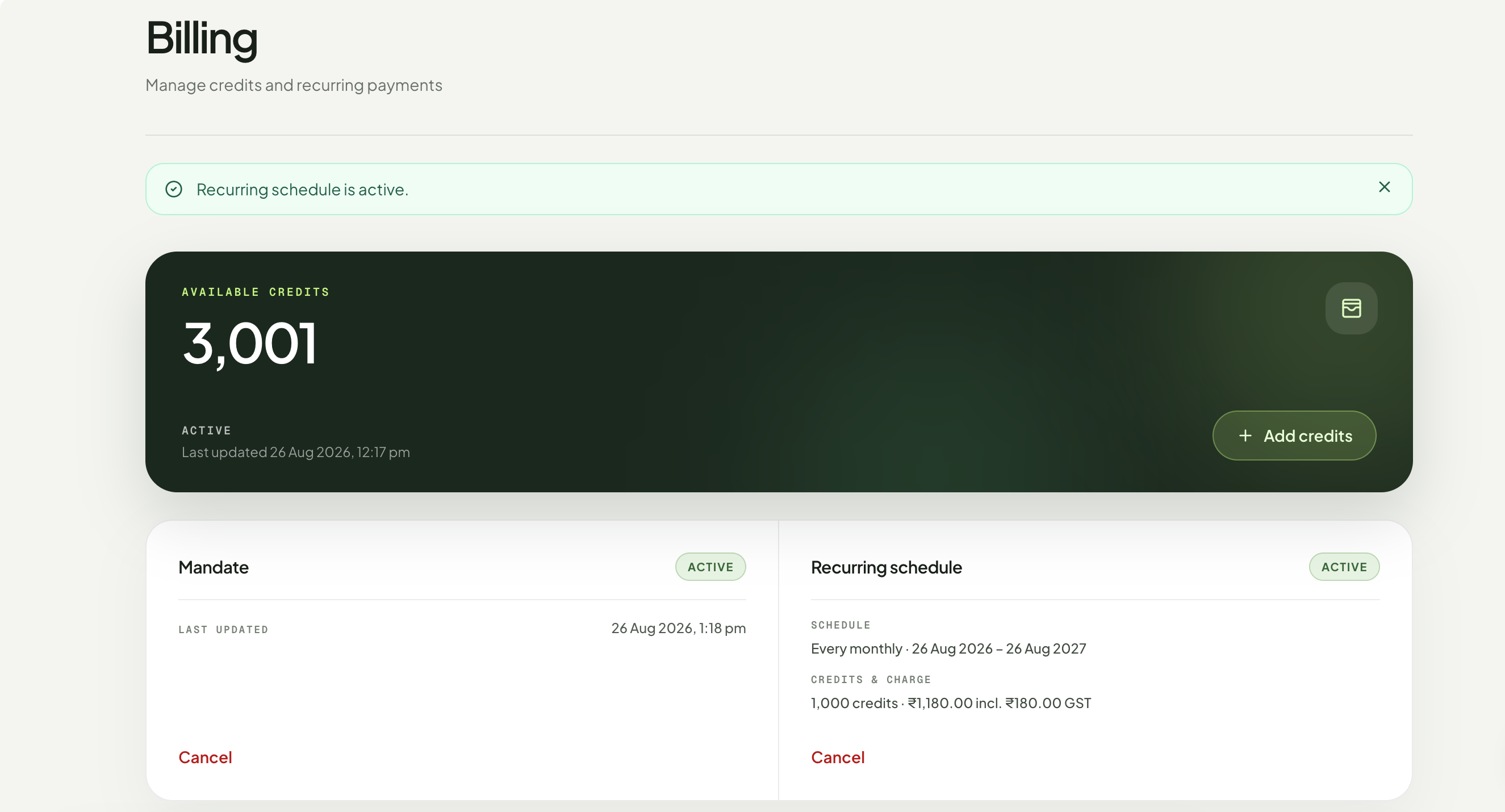
Review your active recharge schedule
Once saved, the Billing page confirms your schedule and displays the recharge frequency, date range, credit amount, total charge, and GST.
Feature preview
Review these steps now to prepare for prepaid credits launching on 1 September 2026.