Satellite Tiles Overview
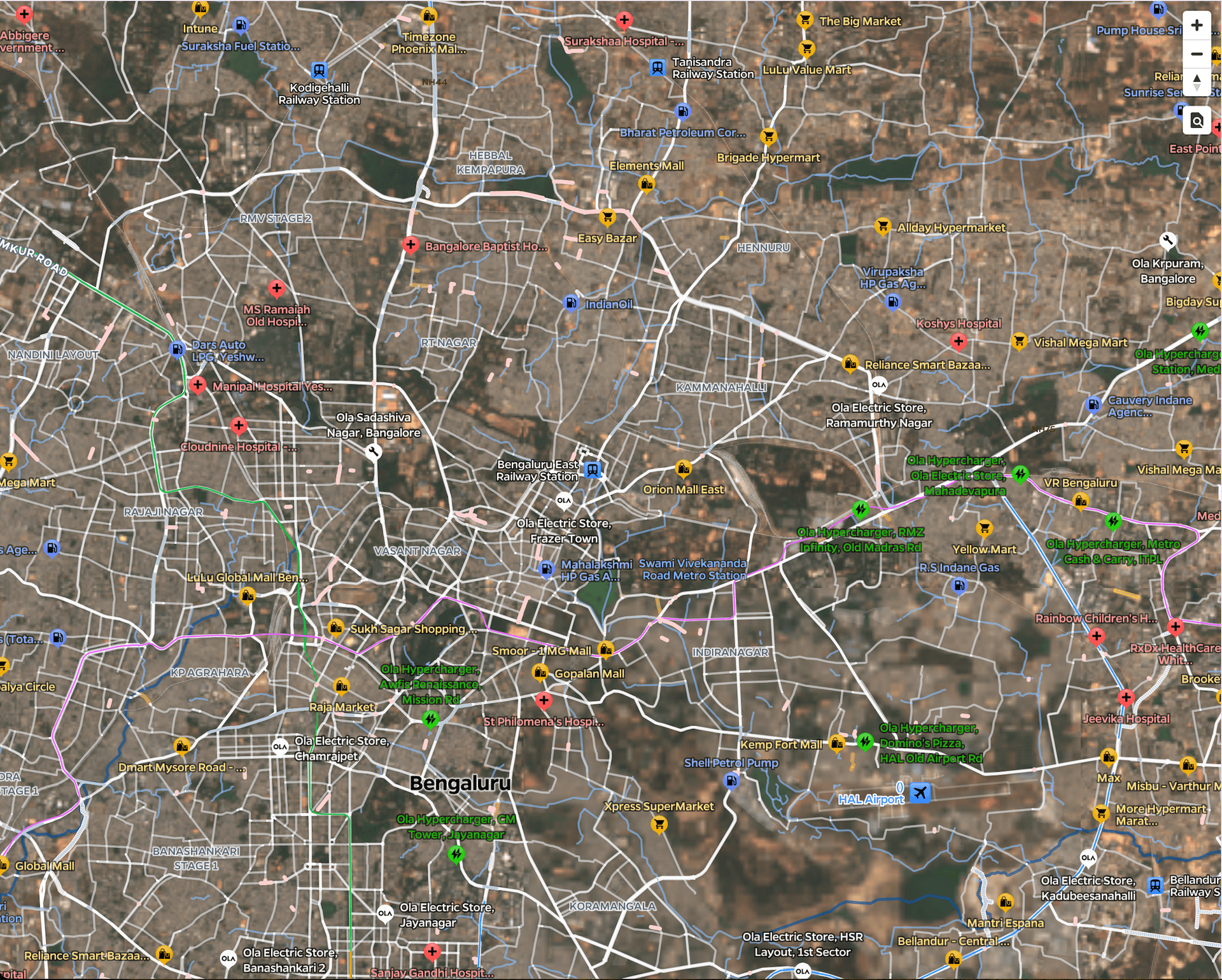
Satellite Tiles provide satellite imagery that overlays seamlessly on top of our existing map assets including POIs, roads, and other geographic features. These tiles offer real-world visual context by combining satellite imagery with our comprehensive mapping data, enabling rich and detailed map experiences. The satellite imagery used in these tiles contains modified Copernicus Sentinel-2 data (2024).
Why use Satellite Tiles
Satellite Tiles bridge the gap between abstract map representations and real-world visualization. By combining satellite imagery with our detailed map assets, users can see actual landscapes, buildings while still having access to essential navigation elements like roads and points of interest. Some of the use-cases for Satellite Tiles can be :
- Real Estate and Property Visualization
- Urban Planning and Development
- Environmental Monitoring
- Tourism and Location Discovery
- Agriculture and Land Management
- Emergency Response and Disaster Management
How to integrate Ola Satellite Tiles
The satellite tiles can be consumed in your web application directly by using our satellite style.json endpoint. This style combines satellite imagery with our detailed map assets automatically.
To get started with Satellite Tiles, simply initialize your map with our satellite style URL:
To get started with Satellite Tiles, simply initialize your map with our satellite style URL:
By using the satellite style endpoint, you automatically get access to satellite imagery overlaid with essential map elements like roads, POIs, and labels, providing users with both visual context and navigational information.