Documentation menu
Developer guides
Ola Maps Authentication
Learn how to authenticate when calling Ola Maps APIs using OAuth 2.0 or API keys.
Ola Maps's API authentication documentation provides essential guidance on how users or applications securely identify themselves when accessing Ola Maps APIs. It ensures that only authorized clients can interact with the API, protecting sensitive data and maintaining service integrity.
Authentication Methods:
Ola Maps's APIs support two authentication methods:
- OAuth 2.0
- API Key
Getting Started
Follow the steps below to get started with authentication for Ola Maps's APIs:
- To begin using Ola Maps' APIs users need to create credentials in the Ola Maps Developer Portal. Detailed steps for the same are provided in creating credentials section below.
- Once credentials are created, they are automatically activated with the default plan within a short time.
- Start using the APIs by using the credentials created. Detailed steps for the same are provided in authentication usage guidelines & examples section below.
Creating Credentials
To begin using Ola Maps' APIs, users need to create credentials in the Ola Maps Developer Portal. Follow the steps below to create credentials.
Step 1: Login to Krutrim Cloud and Navigate to the credentials section.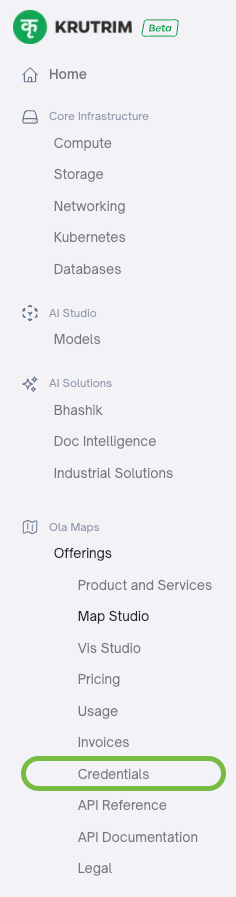
Step 2: Click on the "New Credentials" button in top right corner.
Step 3: Provide a name for your credentials and a suitable description.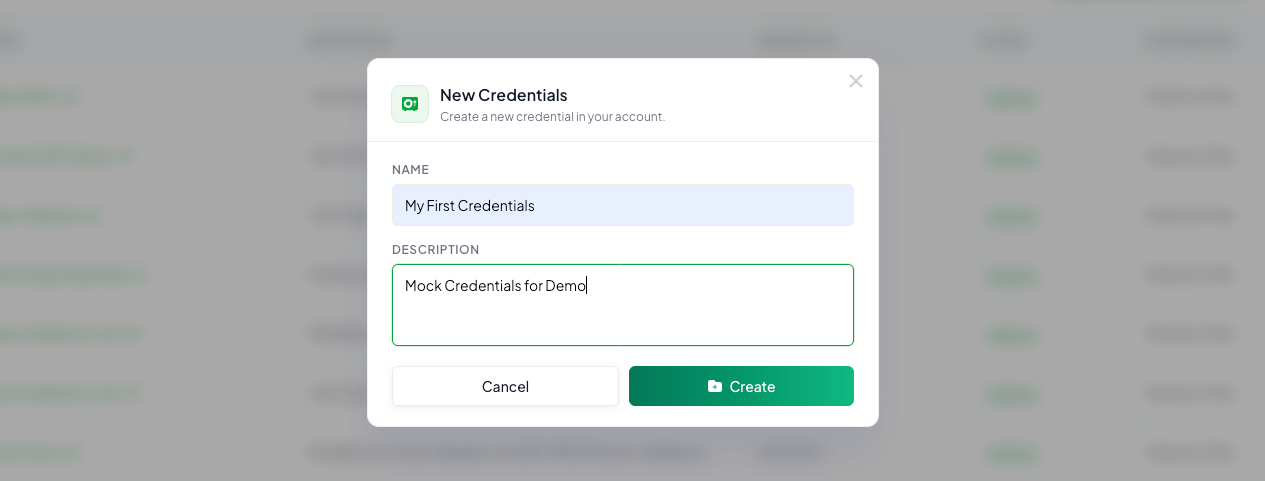
Step 4: Upon creation, credentials will be listed in table.
Step 5: Click on credentials name to display details. This page will show API Key and OAuth2 client credentials.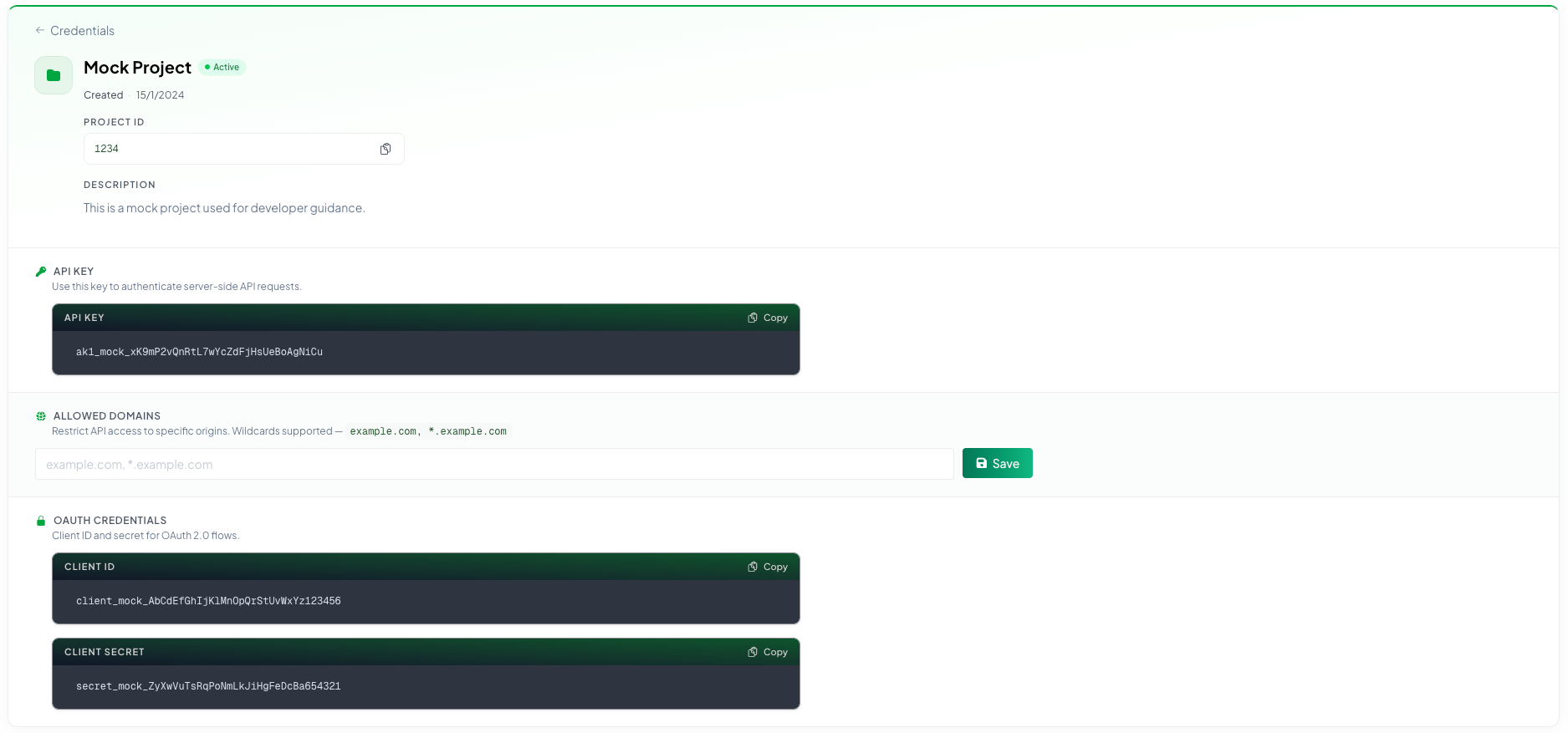
Step 6: Add your domains as comma seperated values and click on add button to whitelist your client credentials.

Authentication Usage Guidelines & Examples
1. Using JWT to Authenticate Map API calls
Retrieve a valid access token from OLA Maps authentication service by making a request to the token endpoint:
Token Endpoint
Include the bearer token received from OAuth 2.0 token endpoint as an Authorization header in the format:
Authorization Header
JWT Usage Example:
The following script demonstrates the use of JWT to authenticate map API calls. The First API call retrieves access token from OLA Maps authentication service. It is further used as bearer token to call Autocomplete API in the second API call in this example.2.Using API Key to Authenticate Map API calls
Include the API key as a query parameter in the request as follows:
Authorization Header
API Key Usage Example:
The following shell script demonstrates use of API Keys to authenticate map API calls. Copy your desired API Key from your credential and replace "apiKey" in the script to make the API call.